How to Run the Preprocess Register (HCR) Report in tmsPay
Summary
This document addresses outlines the steps necessary to run the Preprocess Register (HCR) Report until it is fixed for the Sorts. .
**Run the Preprocess Register on the Totals tab FIRST.
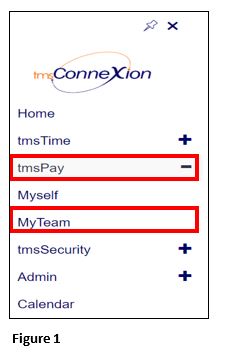
1. From the tmsConneXion menu, select tmsPay and MyTeam (Figure 1).
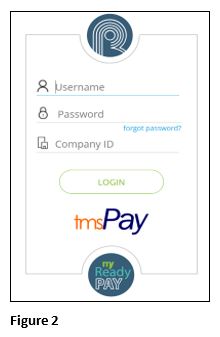
2. Log in with the User Name, Password and Company ID (Figure 2).
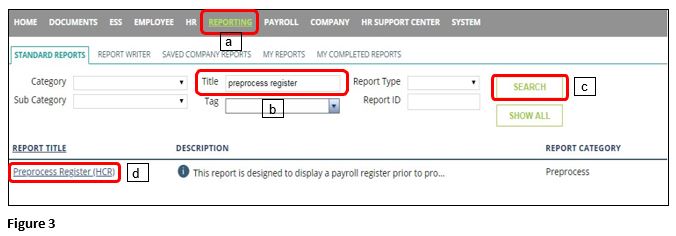
3. Click on Reporting (a) and enter Preprocess Register into the Title box (b) and Search (c). Select the Preprocess Register (HCR) report (d).
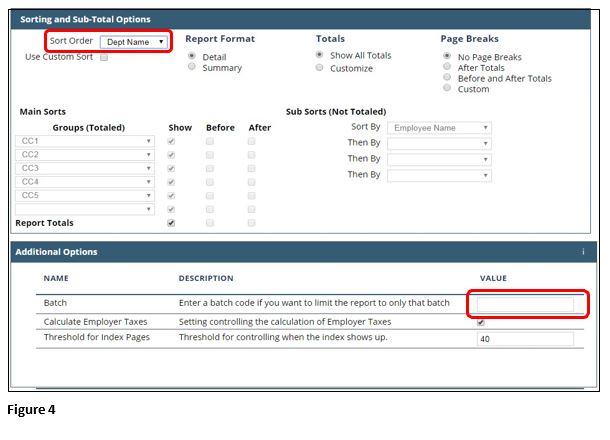
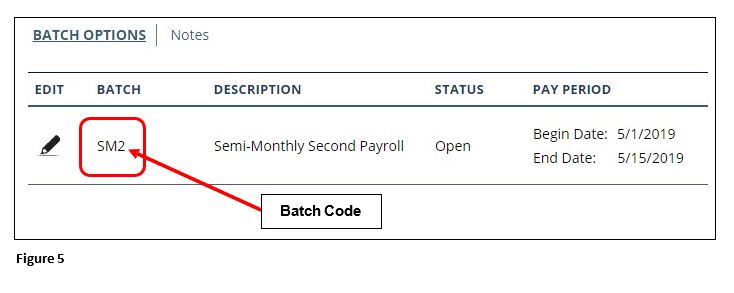
4. You don’t need to input any dates. Under Sorting and Sub-Total Options select the Sort Order you need, usually Dept Name for employees by department (Figure 4). If you only want to run it for one batch (ex. B-biweekly, W-Weekly, VM-Voids/Manual) enter the Batch code, found on the Start Tab (See Figure 5). Run the report as you would for any report and it will come up as a PDF in another tab.